
Put the transfer answer right on the program page.
Kenii shows which courses transfer, where they transfer to, and what degree requirements they satisfy, right on the program page a student is already reading. The questions transfer-minded students ask get answered before they ever call an advisor.
A student should not call an advisor to learn if a course transfers. Kenii puts it on the page.
See the transfer status on the course itself.
Every course in a Kenii program carries an explicit transfer status alongside its credit count and description. Students reading a program page never cross-reference an external PDF agreement or search a secondary portal to confirm credit mobility.
What advising teams get
Know the institution. And what it counts for.
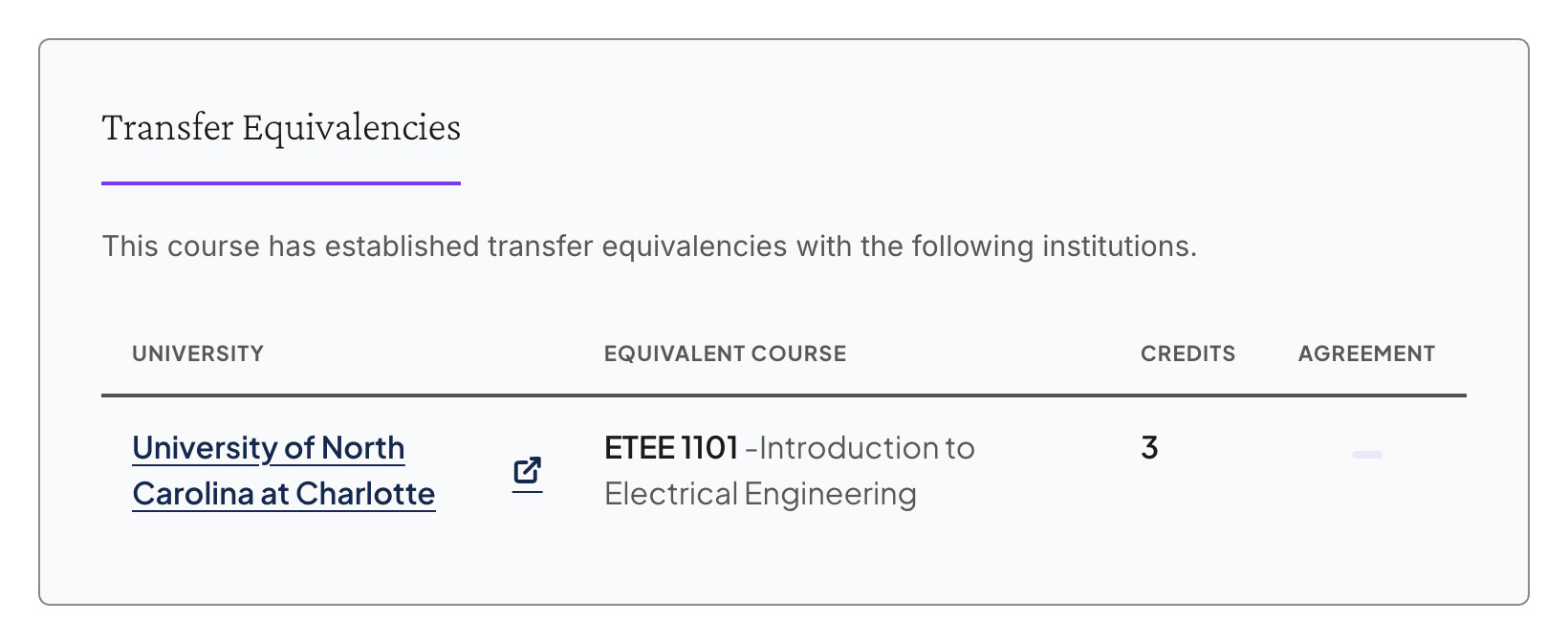
Kenii maps transferable courses to specific receiving institutions rather than showing a generic may transfer note. Students see the named university partner alongside the exact destination course code and the credit hours it satisfies on arrival.
Maintained once. Correct everywhere.
Transfer status is a single field on the core course record your curriculum team already edits. Update it once, and every program page, degree plan, and course directory referencing that course reflects the change immediately.
Transfer shown on the program
Never overstated. One less call to make.
Only courses carrying an approved transfer status display as transferable, so your web catalog never claims more than your official agreements cover. The most common transfer questions get answered before a student schedules an appointment.
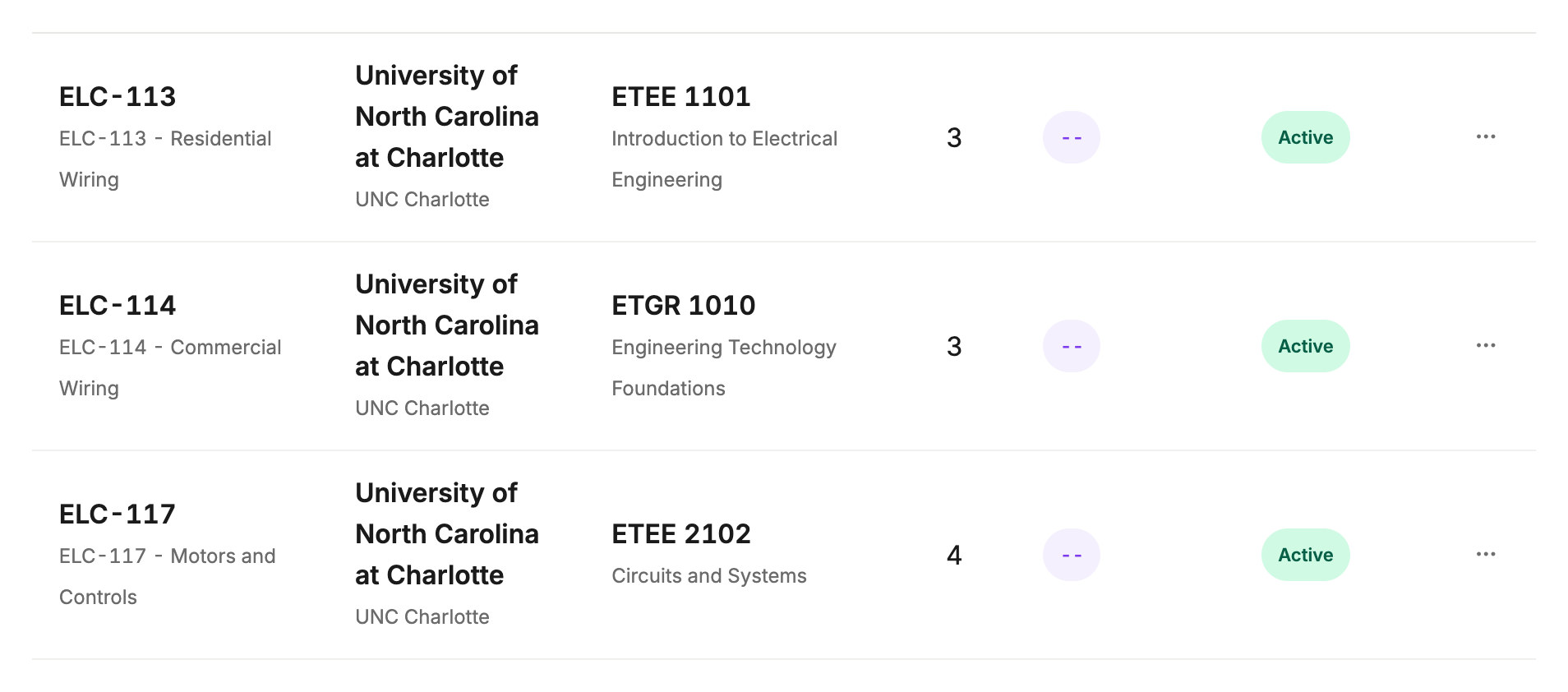
Approved transfer status, live on real program pages.
At Martin Community College, 89 courses carry an approved transfer status live on their program pages today. That data updates as the curriculum team approves new agreements through the course record they already maintain.
Transfer is one answer on a connected record.
Transfer status sits on the exact same course record the rest of Kenii Pathways reads. See how transfer tools connect across career exploration, wage data, outcomes, and student discovery.
Career exploration.
Let prospective students start from a specific job goal and work back to matching credentials using verified occupational mappings.
Wage and labor data.
Display federal wage and employment figures beside program requirements so students see clear earning potential before they apply.
Program outcomes.
Publish what a program leads to, including credentials earned and career paths opened, right on the page where students decide to apply.
Student discovery.
Guide undecided students from general career interests straight to a live program page using a fast, mobile-first search path.
See transfer status live on a program page.
Request a demo and we stand up a Kenii site carrying your college’s logo and colors, running on demo catalog content with transfer status live on program pages. Yours free for fourteen days, nothing to sign.