
Make it active. Publish it. Lock it offline.
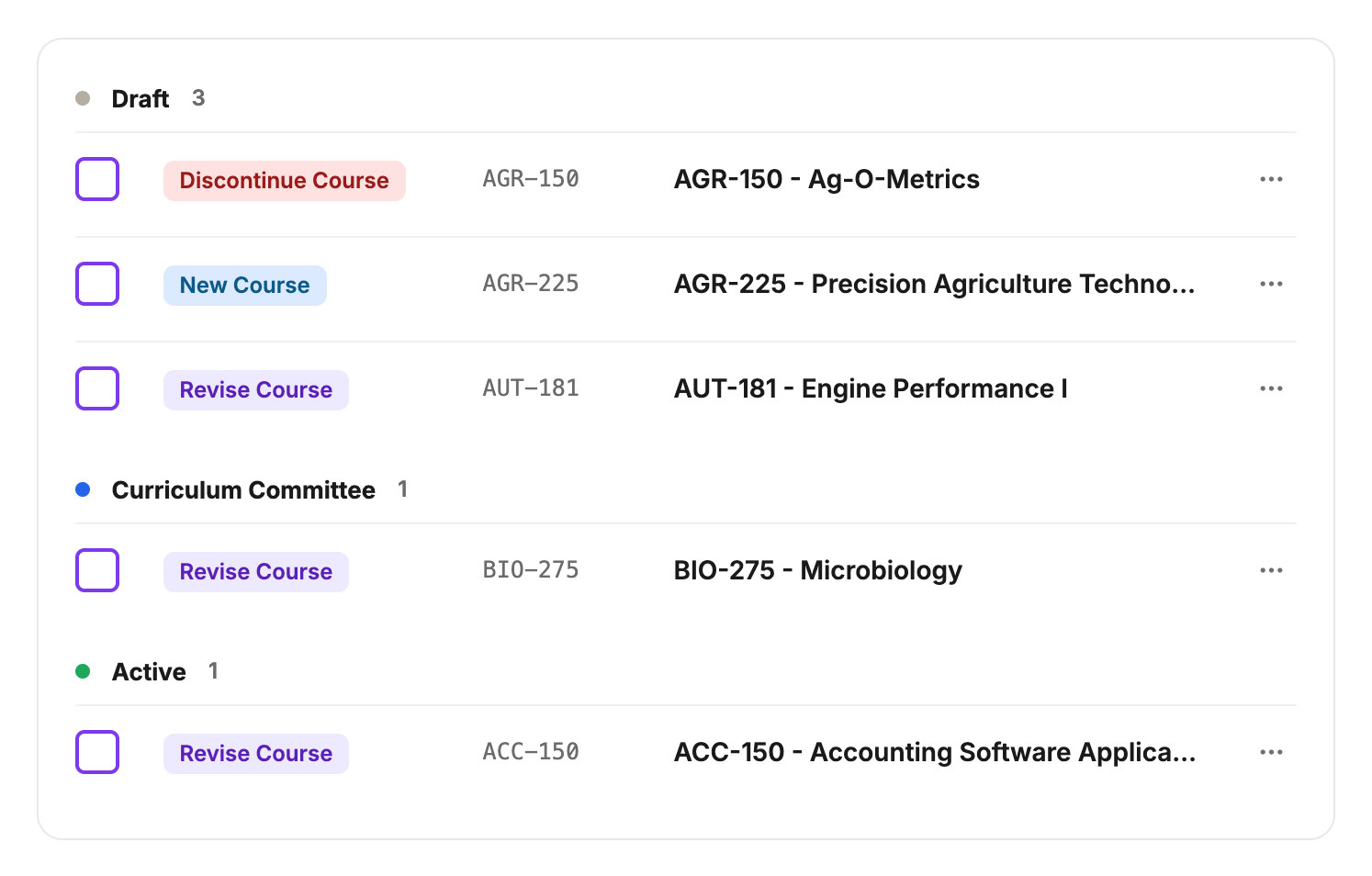
Every catalog year carries a real status in your database: draft, active, published, or offline. When a curriculum proposal is approved, Kenii checks that lifecycle state automatically to decide whether to write directly, attach an addendum, or block the edit.
A year’s status decides what a change can do to it. Direct write, dated addendum, or nothing.
Four states. One rule for each.
A draft year stays invisible to students while staff build upcoming offerings. The active year is the edition in force today. A published year stays online exactly as students saw it, and an offline year is retired and read-only.
Why accreditors care about this
Draft and active years take it directly.
An approved proposal for a course or program in a draft or active year writes into the live catalog record the moment it clears your committee chain. There is nothing to re-type and no gap between the vote and the page.
A published year gets an addendum, not a rewrite.
Once a catalog has published to students, Kenii will not overwrite the original page text. An approved change attaches as a dated addendum carrying a redline of what changed, linked to the proposal behind it.

Offline means offline.
A year retired past your public window stops taking writes completely, even from an approved proposal. The write is refused, the reason is recorded on the proposal, and records former students and accreditors rely on cannot quietly change.
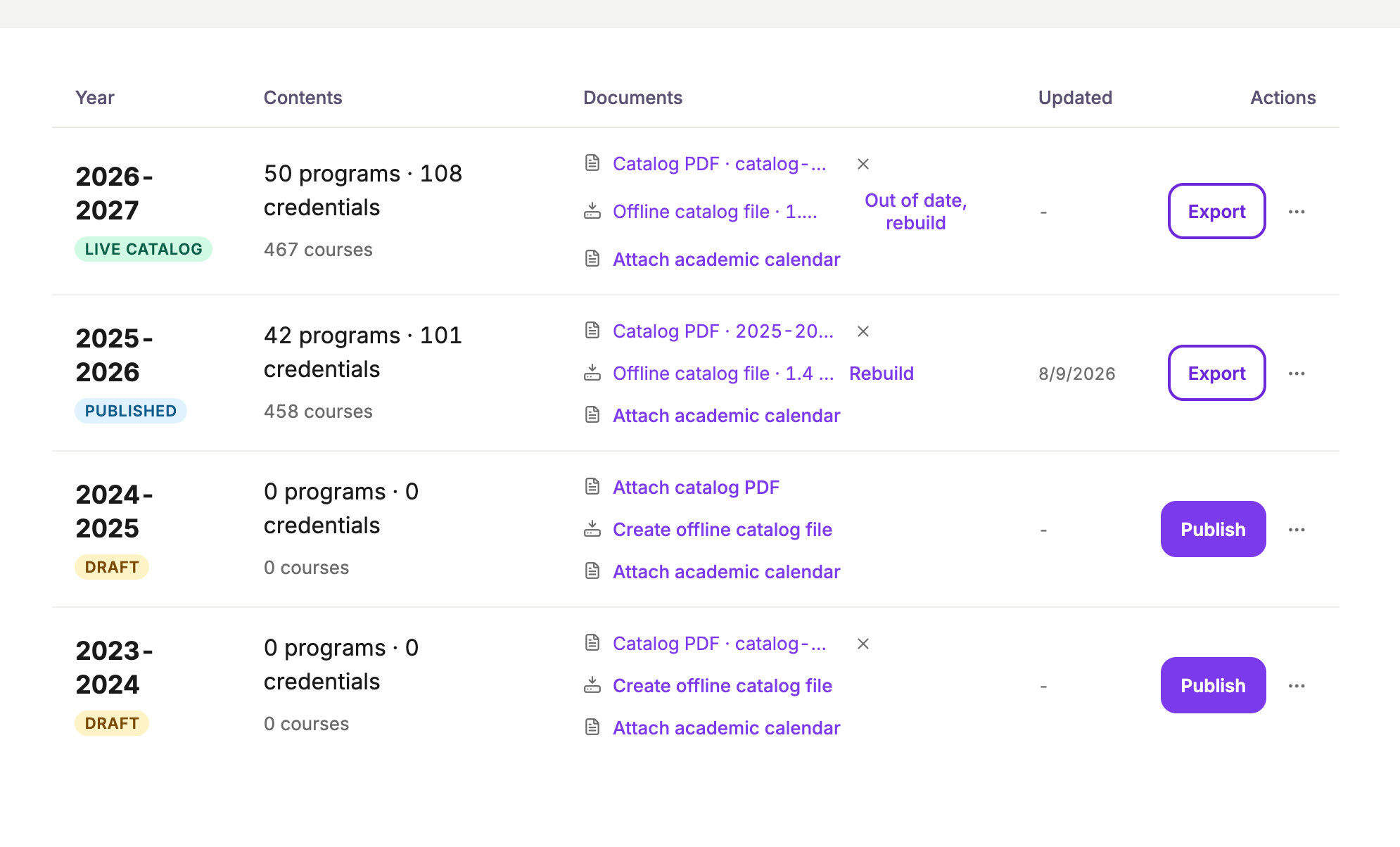
The status on the year decides, every time.
Nobody has to remember which year takes a direct edit and which takes an addendum. Catalog years run on a single lifecycle inside your database, and the approval path reads that status before it writes anything at all.
The years, and what moves through them.
Catalog years sit under every Kenii package. Explore how a change earns its way into an active or published edition.
Curriculum proposals.
Draft course and program changes as structured proposals that validate themselves against catalog rules before reaching a committee agenda.
Approval routing.
Move every proposal through your real committee chain, with steps, members, and accreditation reviews configured to match your bylaws.
Vote records.
Store every yes, no, and abstain vote against the member who cast it and the meeting it belongs to, ensuring clear evidence on vote day.
Evidence archive.
Keep the proposal, discussion history, routing logs, and approved changes attached directly to the course record for permanent audits.
See a change land in the right year.
Request a branded demo and we will stand up a live Kenii site carrying your college logo and colors, running on demo catalog content so you can approve a change against a published year and watch it land as an addendum.