Clear academic pathways on every page.
Put degree requirements, transfer articulation, and career outcomes directly on the program pages your students read. Give advisers accurate catalog data and take routine questions out of the advising queue.
Students arrive with the degree map already read, on their phone, before the appointment starts.
Sequenced plans of study students can follow.
Present degree, diploma, and certificate requirements as clear term-by-term maps. A student sees the prerequisite sequence and the credit load up front, which makes registration planning something they can do before they sit down with an adviser.
See program pages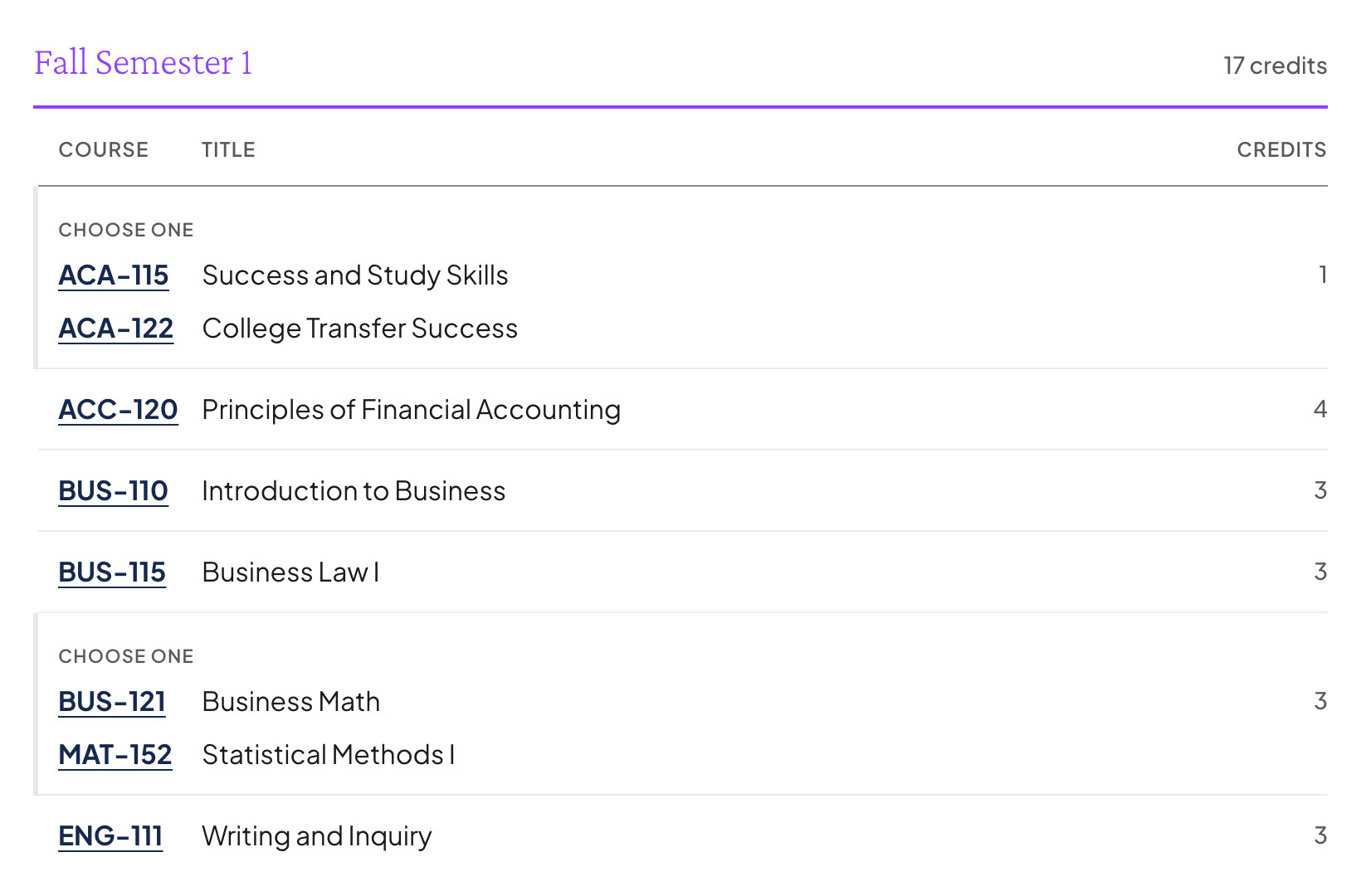
Transfer status displayed next to the course.
Show exactly how a course transfers to a partner institution on the program page itself. Clear articulation detail removes the ambiguity that sends students to the advising desk to ask whether a course will count.
Explore transfer articulation
State salary and demand figures, already attached.
Help a student connect a credential to a real outcome. Kenii displays state employment projections and wage figures on program pages, drawn from public federal and state labor sources and cached so the page still loads fast.
Read about wage data
Guided discovery through Compass.
Point an undecided student at Compass and let them work from a goal to a real credential in a few taps. They arrive at the advising appointment with a shortlist rather than an open question, which changes what the meeting is for.
See career exploration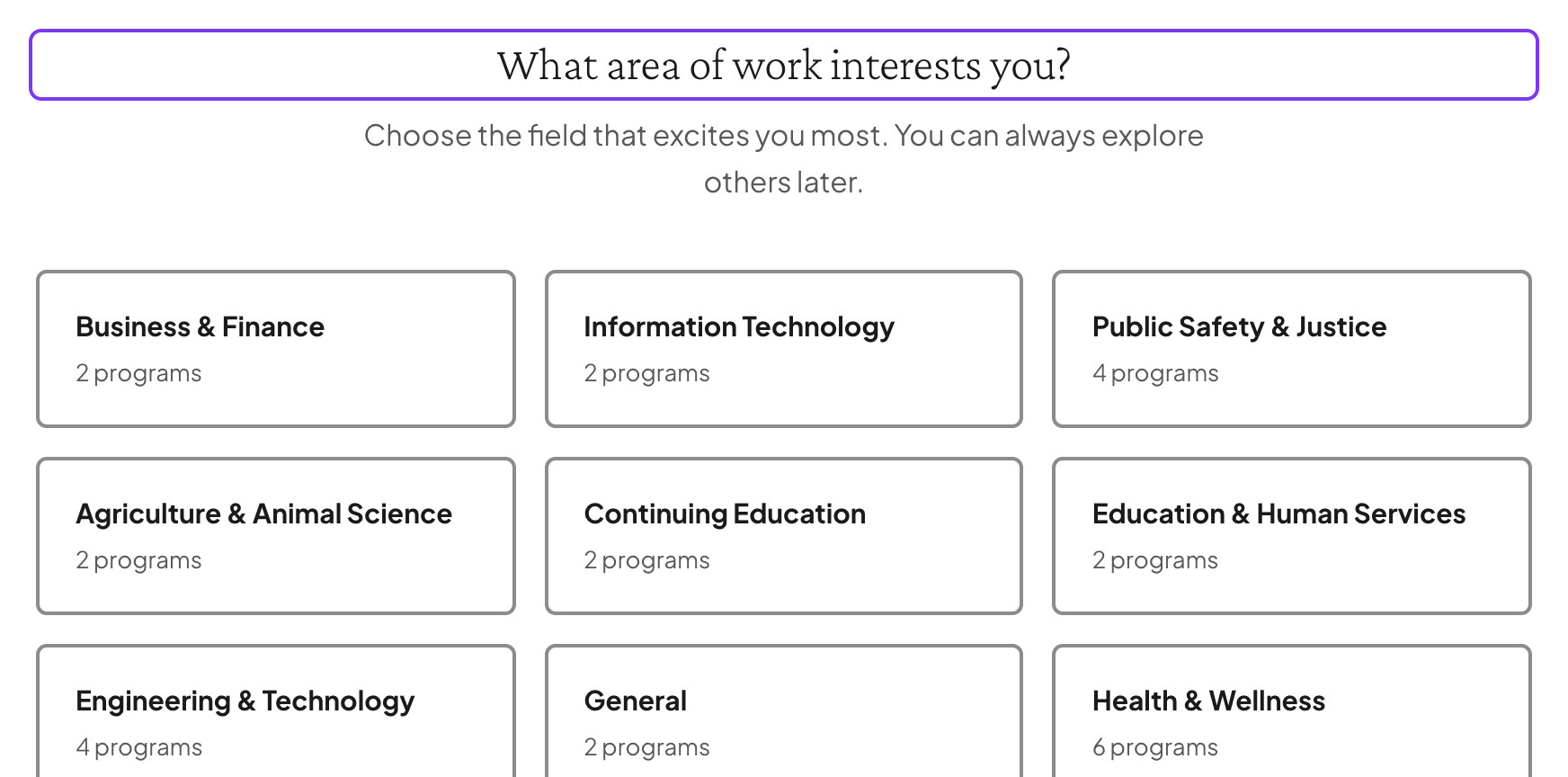
Built for advising directors and counselors.
Questions advising directors ask.
- How does Kenii reduce routine advising inquiries?
- By publishing the answers where students already look. Term-by-term plans of study, visible prerequisite logic, and course-level transfer articulation all render on public program pages that read properly on a phone.
- Where does the wage and outcome data come from?
- Public federal and state sources. Kenii pulls Bureau of Labor Statistics figures and state employment projections, maps them through CIP and SOC crosswalks to your real programs, and caches the result so pages stay fast.
- Is transfer terminology configurable for our state?
- Yes. Transfer agreements, dual enrollment pathways, and the terminology your state uses are configured in settings, so students see the vocabulary they already know rather than someone else’s.
- Does this replace our advisers?
- No, and it is not meant to. It answers the questions that do not need a person, so the appointments your team does take are about the decisions that do.
Take the routine questions out of the queue.
Request a demo and we stand up a Kenii site carrying your logo and your colors, running on demo catalog content, free for fourteen days with nothing to sign. Show your advising staff how plans of study and transfer maps render.